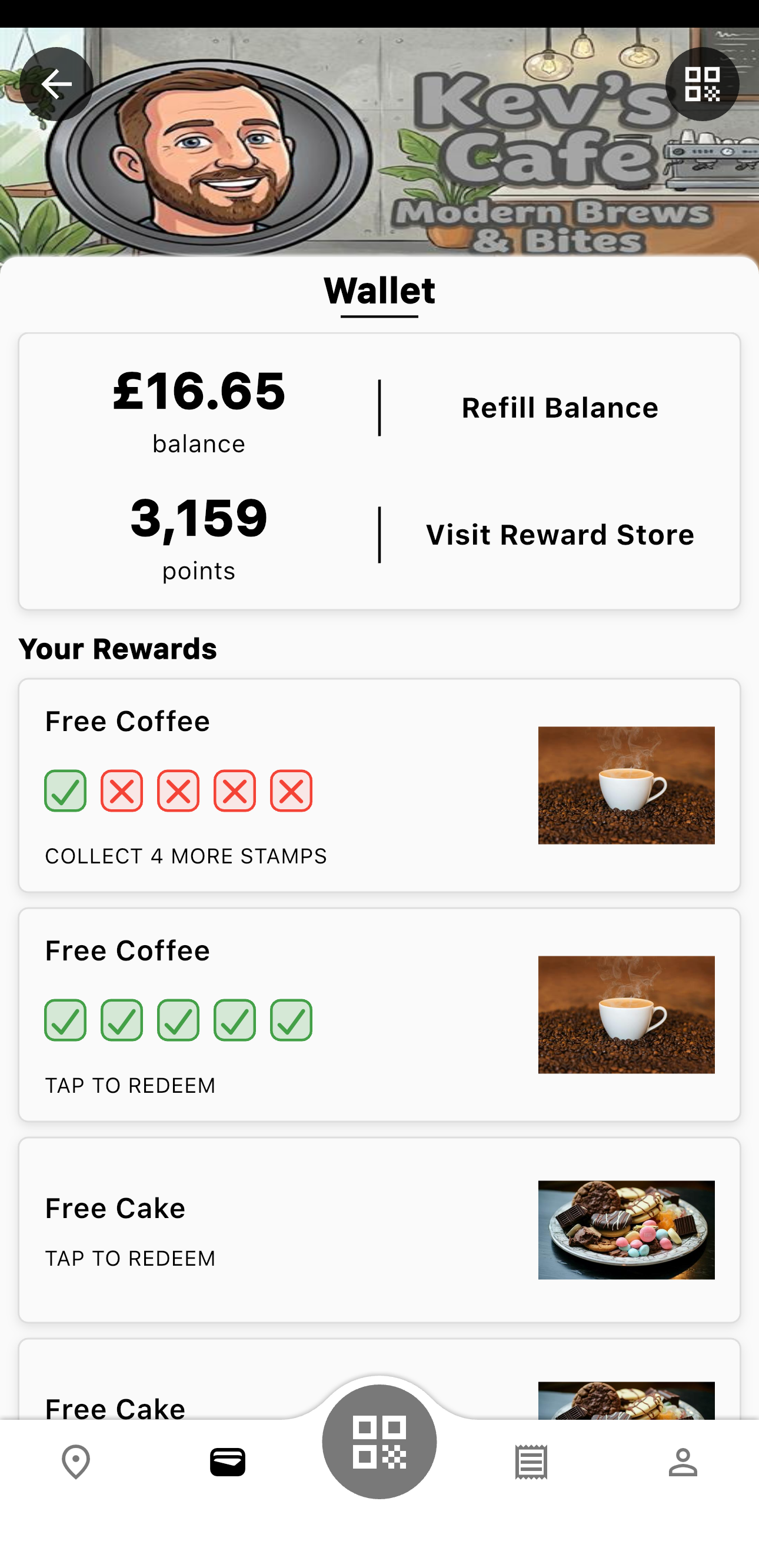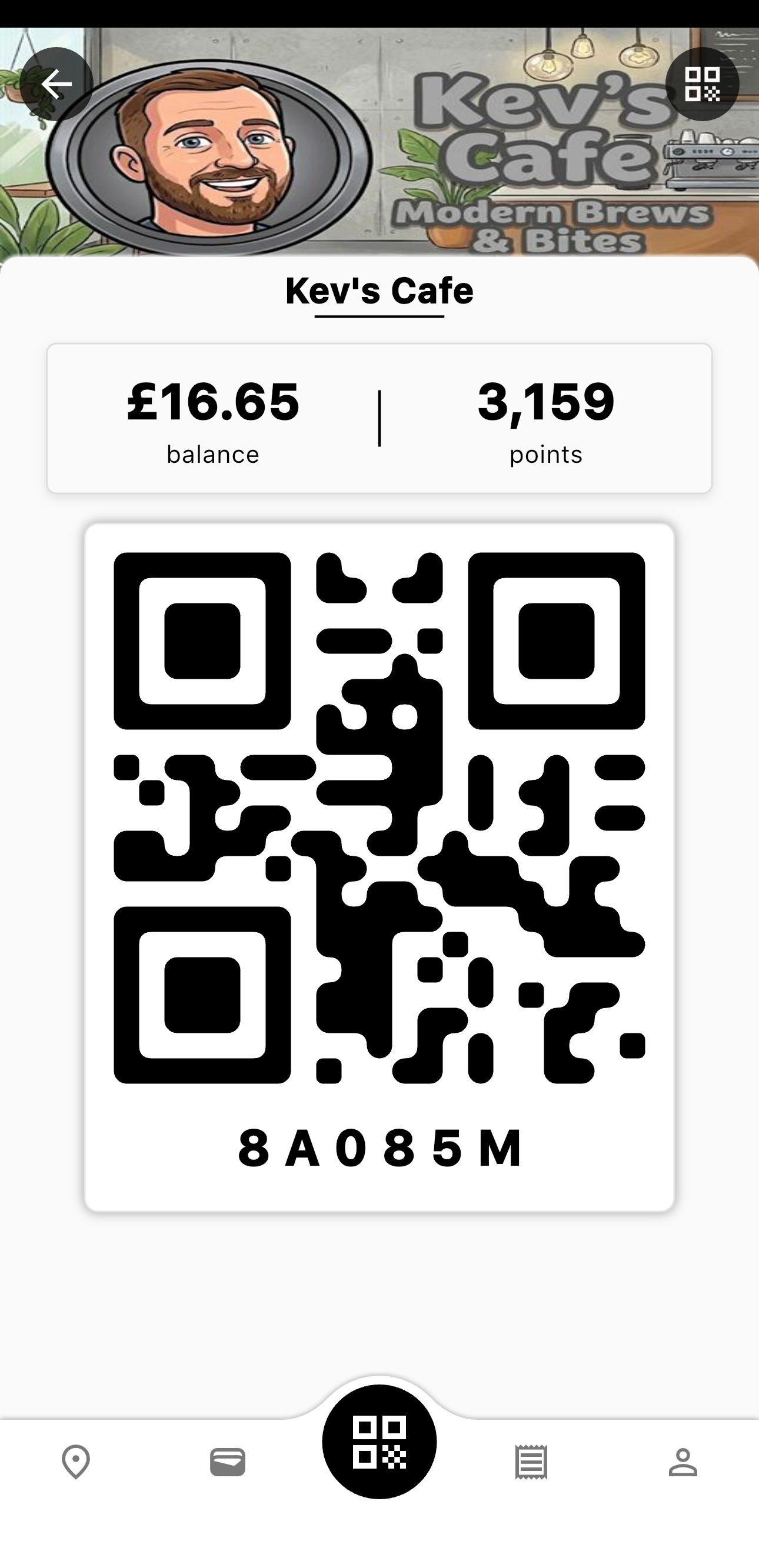
Your Wallet is your rewards hub β see your balance,
points, and any rewards you've earned.
- View your current balance and points total
- See all active rewards you've unlocked
- Track stamp reward progress (ticks show purchases made towards your next reward)
- Access Top-Up and Redeem Points features
Wallet
π° Top-Up Balance
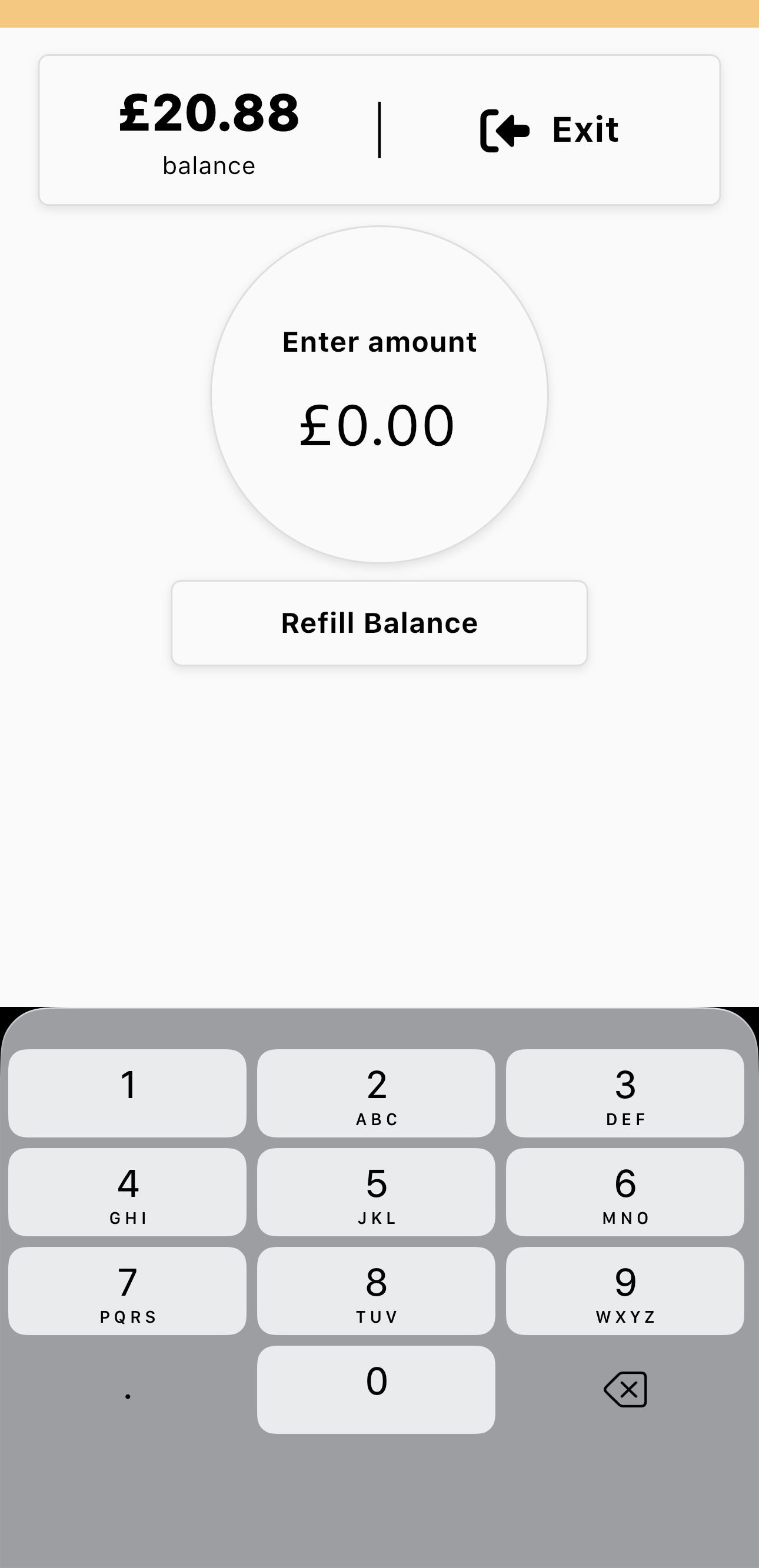
From your Wallet, tap "Refill Balance" to add funds to
your
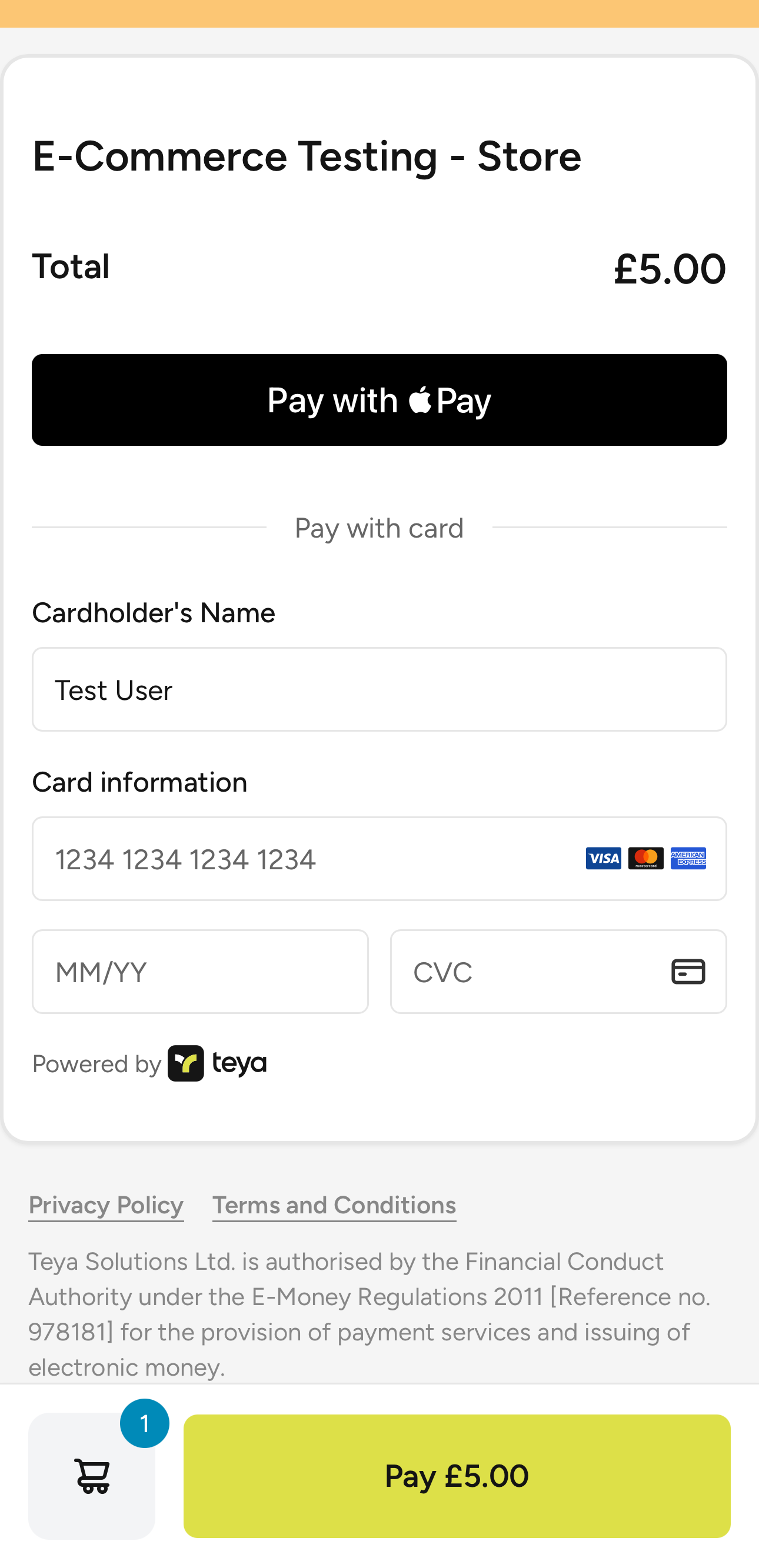
Stacky balance. You can pay using a debit/credit card or other supported payment methods. Your
balance can be used for purchases at the venue.
Enter Amount
Payment
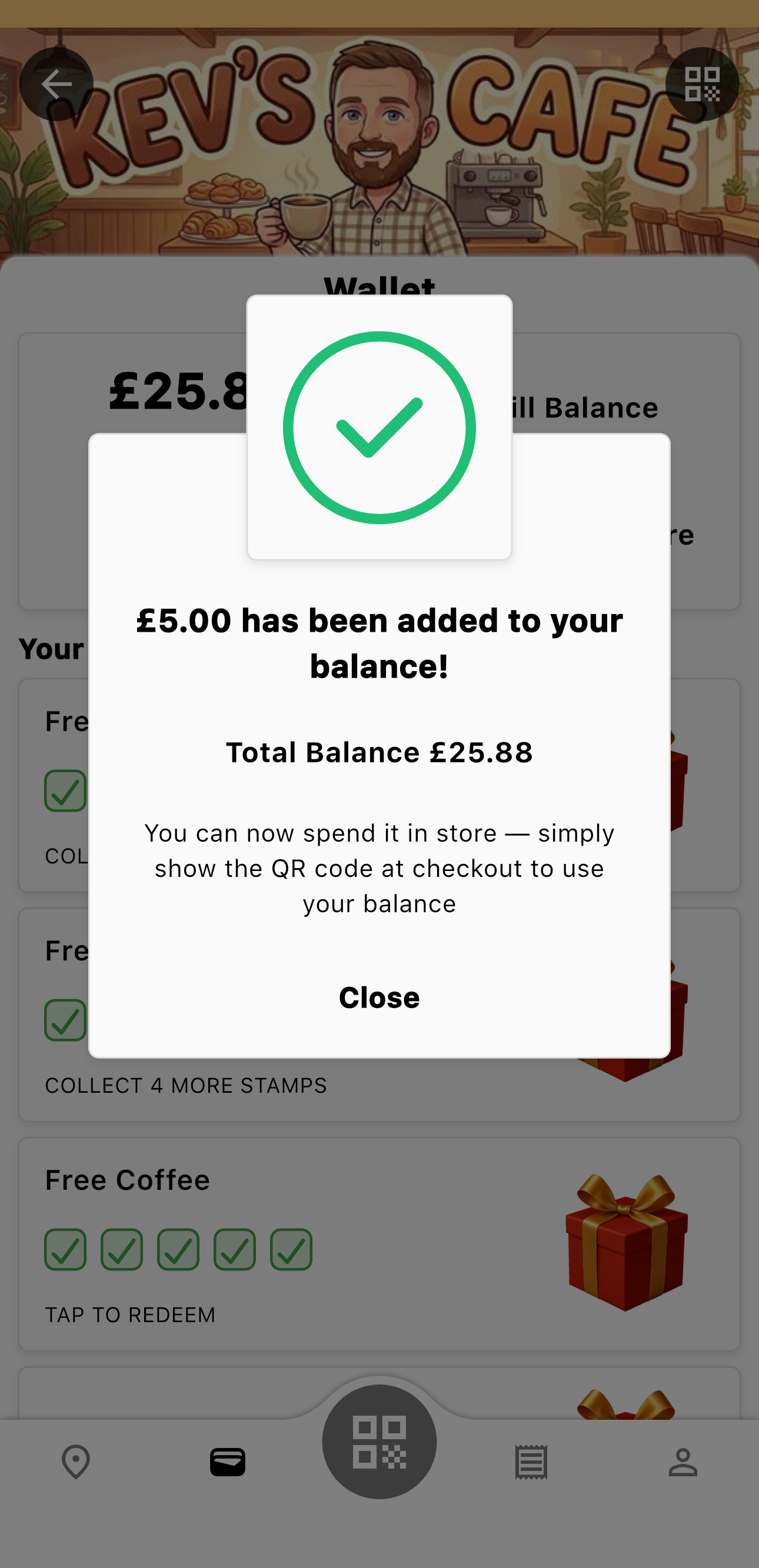
Success
π Redeem Points
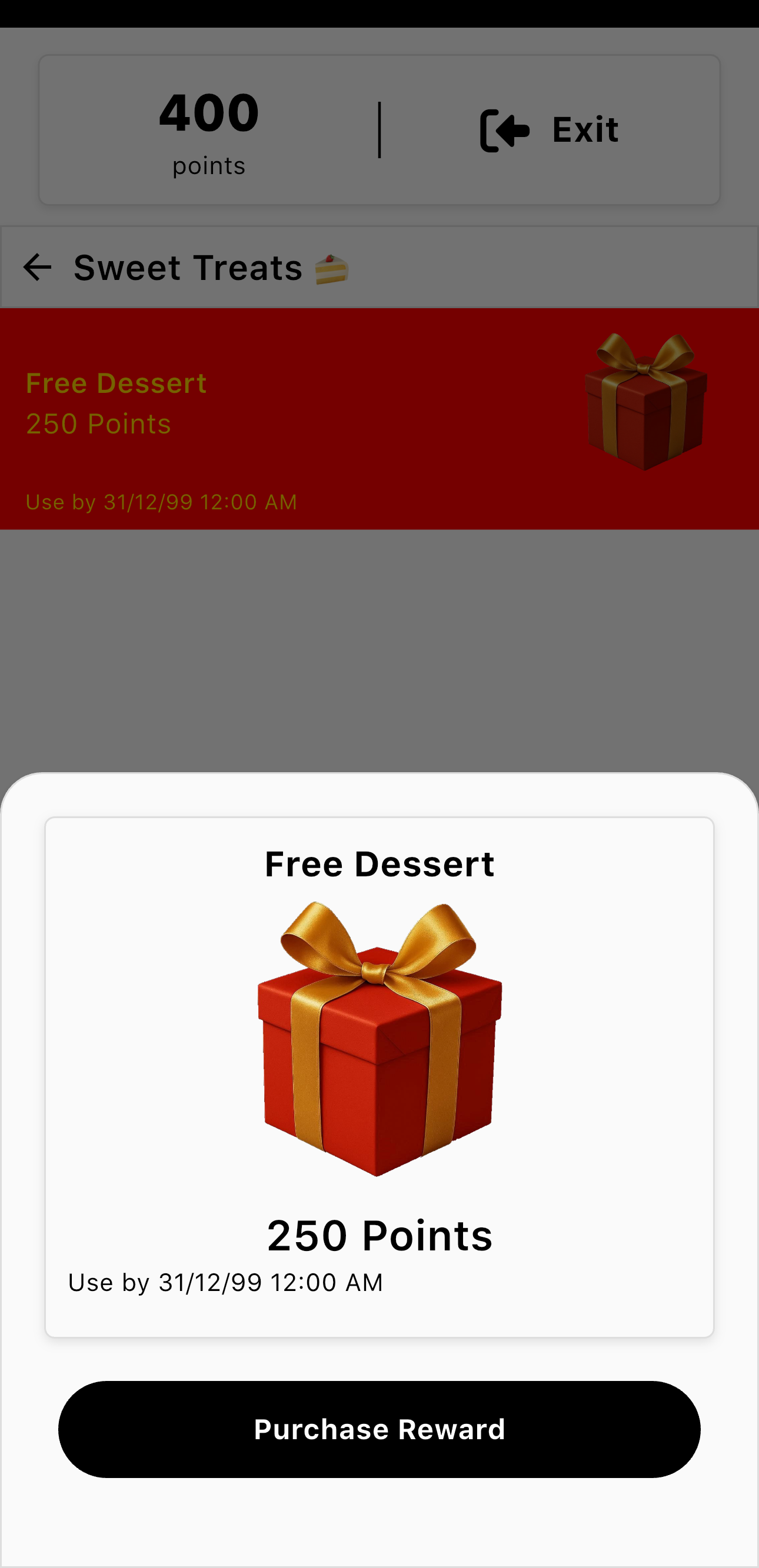
Tap "Visit Reward Store" to exchange your earned points
for
rewards. Browse available rewards and select the one you want. Once redeemed, the reward will
appear in your Wallet ready to use!
Reward Store
ποΈ Using Your Rewards
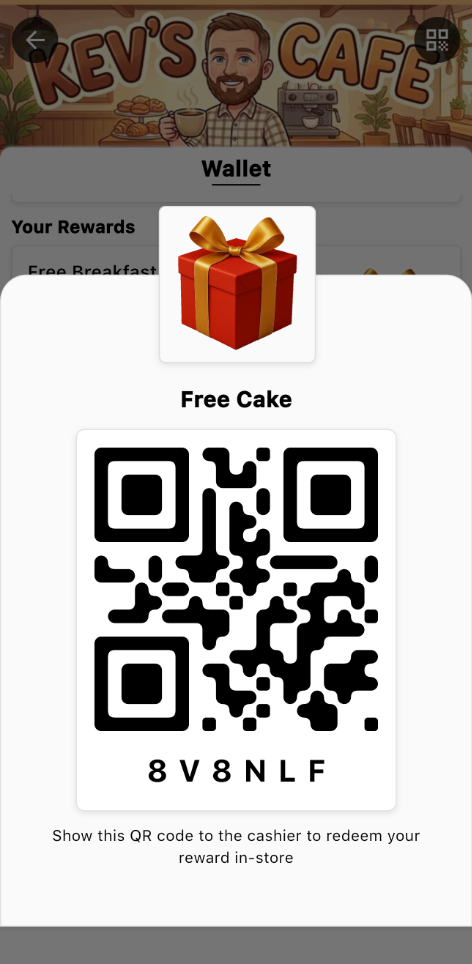
Once you've redeemed a reward, it appears in your Wallet under
"Your Rewards". Tap on any reward to reveal its unique QR code. Show this
QR code to the cashier when making a purchase to apply your reward.
Reward QR Code
βΉοΈ Stamp Rewards
Each tick (β) represents a qualifying purchase. Collect all the stamps to
unlock your reward!